Step 1 – Read out your dongle
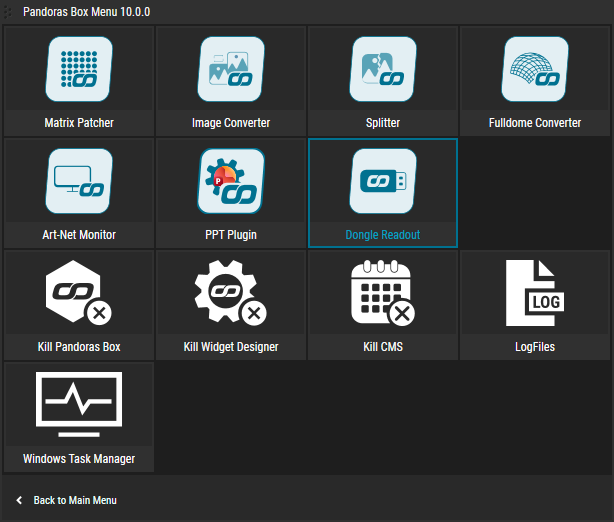
The tool is included in PB Menu v10 under Utilities — or download it directly on the right.
Open the Pandoras Box Menu and go to Utilities → Dongle Readout to launch the tool.
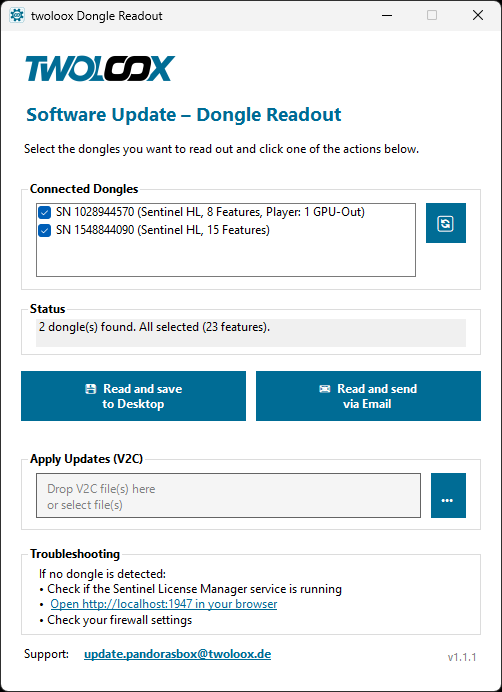
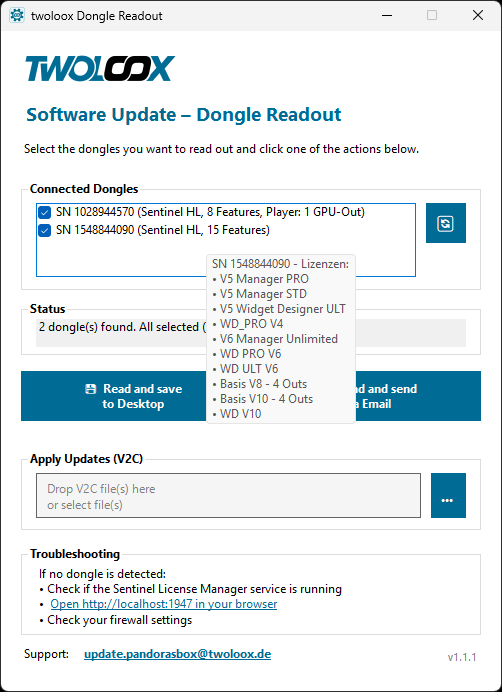
All connected dongles appear in the list. Select one or all of them at once – hover over any entry to see its included licenses.
Click “Read and save to Desktop” to save the .c2v file, or “Read and send via Email” to send it directly. All selected dongles are read in one go.
Send the file to update.pandorasbox@twoloox.de.
Step 2 – Apply the update
You will receive one updated license file (.v2c) per dongle by email.
Make sure all dongles are connected, then drop all .v2c files at once into the “Apply Updates (V2C)” drop zone – or use the “…” button to select them. The tool automatically matches each file to the correct dongle.
After a few seconds “written successfully” confirms the update is complete.