

NEW RELEASE | SOFTWARE SUITE
All the power. One suite. Zero compromise.
The Pandoras Box Infinity Suite V10 unites real-time media server and automation in a single dongle.
Pandoras Box is a multi-award-winning media server system for real-time media playback, compositing, and show management – delivering professional media playout at the highest level for projects of any scale.
Widget Designer is a fully integrated automation and show-control platform. Create dedicated user interfaces, custom interaction logic, and complex automation scenarios – from simple remote controls to fully interactive installations.
One dongle. two powerful tools.
Two tools. Engineered for corporate shows, maritime, theatre, exhibitions, theme parks, interactive entertainment, and immersive experiences – Ready for operators, integrators, and end customers alike.
The twoloox Infinity Suite licensing model is based on one single, hardware bound dongle, which gives full access to both a Pandoras Box and a Widget Designer license. Up to 8 render outputs can be unlocked per dongle.
The respective dongles can be combined to achieve the desired number of outputs.
Each Pandoras Box license can render the specific number of outputs available to it, irrespective of whether the license is used as a Master or a Client.
The practical difference between Master and Client usage is that the Master provides a GUI. Clients are used exclusively for rendering.

WHATS NEW IN V10
Pandoras Box
Pandoras Box Software offers an entire suite of features. Create anything you want, any time, with any hardware – and let your imagination take you wherever you want to go.
Whether you're working on fixed install applications, live corporate events, architectural and artistic installations such as museums and theaters, theme park attractions, or interactive entertainment environments like escape rooms and immersive dining experiences – Pandoras Box combines professional features in a high-performance, highly reliable and budget-friendly real-time media platform.
The powerful render engine, built on a native 64-bit system architecture with full Windows 11 support, delivers resolutions beyond 8K, 10-bit color depth, and HDR content. With multi language support, international teams collaborate seamlessly in their preferred language across shared projects.
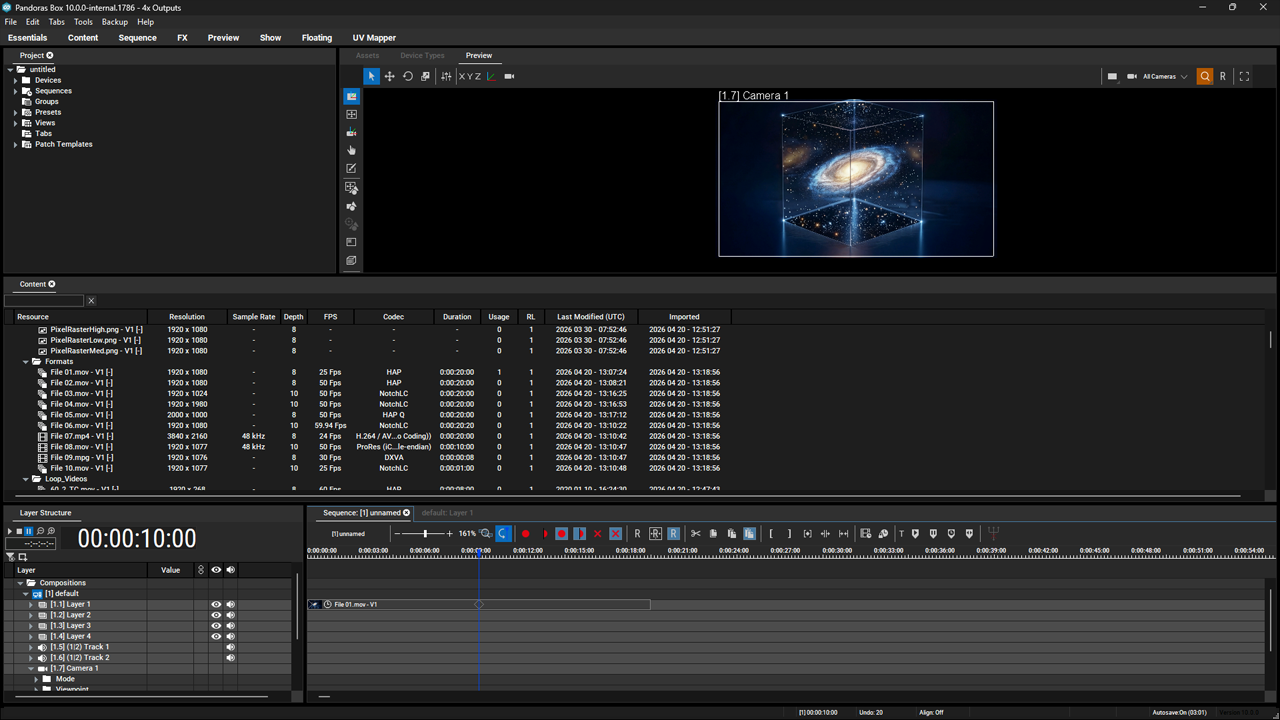
V10 introduces a composition-based workflow that frees your creative process from hardware limitations. Create workspaces with a freely definable canvas, align and snap content directly in your workspace view, and transform assets per layer with familiar drag-and-drop, keyboard shortcuts, and mouse combinations – just like you'd expect from any modern creative application. Outputs are decoupled from programming, backups become flexible, and your timeline stays intact. Program anywhere. Deploy everywhere.
WHATS NEW IN V10

Widget Designer
Widget Designer is a customizable control framework that lets you create dedicated user interfaces and interaction logic through visual control component connections.
With the embedded node programming environment, you can set up almost any control scenario – from sensor and data source interaction to routing input data to almost any other output protocol.
The HTML5-based frontend lets you style your own individual user interfaces with CSS, and the Viewer Mode turns Widget Designer into a protected kiosk application for public environments. Whether you manually control, automate, or provide customers with remote-control interfaces – the intuitive interface enables even non-programming specialists to create truly immersive, interactive experiences.
-
Welcome WindowA brand-new start screen gives you instant access to recent projects, templates, and guided tutorials — so you're up and running faster than ever.
-
UI Themes & StylesChoose from multiple interface themes and customize colors, contrast, and icon styles to match your workflow — or your brand.
-
Resource ManagerAll your assets — images, fonts, audio, and data files — in one centralized panel. Drag, drop, and reuse resources across projects without ever losing track.
-
Script ManagerManage, organize, and version-control all your scripts from a single dedicated manager. Sharing logic between projects has never been this clean.
-
Macro & Function EditorCreate reusable macros and custom functions with a powerful new editor — complete with syntax highlighting, auto-complete, and inline documentation.
-
Expanded ConnectivityMore protocols, more possibilities. V10 brings enhanced OSC, DMX, MIDI, Art-Net, and TCP/UDP support — plus new WebSocket and REST API integrations.
-
New DevicesNovaStar controllers, PJLink projectors, KNX, MQTT, display controls, and more. New integrations are delivered in shorter cycles than ever — with Barco E2, Encore 3, Aquilon, and Quick View already on the roadmap for Q3 2026.
Continuous Empowerment
ALWAYS EVOLVING
Always evolving. Driven by your feedback.
V10 marks a new chapter — not just in features, but in how we develop.
Major releases every two years. Device integrations delivered continuously. New protocols, controller support and graphics engine integrations already in the pipeline. Every update is shaped by real project feedback from operators and partners — not internal roadmaps detached from the field..
-
Major ReleasesSignificant new features and platform updates every two years — predictable, reliable, well-tested.
-
Continuous IntegrationsDevice support, protocols and controller integrations delivered as they are ready — not tied to release cycles.
-
Feedback-DrivenEvery feature is shaped by real project feedback from operators and partners in the field.
Training & Empowerment
LEARN IT. MASTER IT. OWN IT.
Whether you are new to the platform or upgrading from a previous version — we offer training that fits your level.
Starter Training
For operators starting from scratch. No prior experience required. Learn the fundamentals of Pandoras Box and Widget Designer from the ground up, with hands-on exercises and real-world scenarios.
5 DAY TRAINING
Wrap-Up Training
For existing users moving to V10. Day one starts with a half-day briefing on everything new in V10. The remaining time is dedicated to your specific questions, workflows and hands-on testing — so you leave with practical answers, not just feature lists.
2 DAY TRAINING
Partner Empowerment
Standardised training materials for partners, so enablement is scalable and consistent. Pilot sessions starting in Germany, expanding internationally.
Ready for the Infinity Suite?
Get in touch with our team for a demo, licensing consultation, training opportunities or any other questions.
Create rich, real-time visual experiences with a native 64-bit render engine built on DirectX 11.
- Multi-layer real-time 2D and 3D compositing and playback
- 10-bit color output pipeline
- Wide codec support: NotchLC, HAP, H.264, HEVC, DPX, JPG, BMP, PNG, WAV
- Image sequence support: BMP, TIF, PNG, DDS, DDSA
- Stereoscopic 3D output
- Multi-output frame synchronization via Nvidia Frame Sync
- Real-time effects: color grading, LUTs, blend modes, particle systems
- Webbrowser asset support: use web content as compositable layers
- Notch generative content integration with live block editing
Connect to any source or destination using industry-standard IP video and professional I/O hardware.
- NDI 6.1.1 – low-latency network video input and output
- SDVoE / Christie Terra – video over fiber Ethernet input
- Deltacast VideoMaster – professional SDI and HDMI capture card support
- DirectShow Liveinputs – Webcams and other capture devices
- CITP – thumbnail exchange across networked systems
- Watched folders – automatic content import and playlist population
From simple keystoning to complex multi-projector setups, Pandoras Box handles any surface.
- Edge blending and image warping for multi-projector setups
- 3D marker-based calibration inside the Pandoras Box preview
- VIOSO 7 – automated projector alignment and blendingV10
- VIOSO Projection Tools – automated projector alignment and blending
- Christie Mystique – calibration data import for automated alignment
- 2D and 3D mesh editing with FFD modifiers and full vertex control
- UV Mapper – LED surface remapping with snapping and visual guides
- DMX matrix pixel mapping (Art-Net and Ki-Net)
Integrate Pandoras Box seamlessly into any show-control ecosystem.
- Art-Net – DMX over Ethernet input and output
- sACN (E1.31) – DMX over network input
- DMX via USB – direct DMX input and output
- MA-Net 2 – grandMA2 lighting console integration
- MIDI and MIDI Show Control (MSC)
- LTC SMPTE timecode – input and output for timeline synchronization
- TCP/IP device control for projectors, switchers, and external systems
- Webserver for custom webpages
A powerful, operator-friendly programming environment designed for both preparation and live delivery.
- Hardware-independent show programming – creative workflow firstV10
- Cue-based timeline programming with full transport control
- Workspace Mode – 2D/3D layout with snap, align, and distance tools
- Container Groups for organized project structure
- Sequence undo with history tab
- Layer visibility assignment per sequence
- Tech Cues and Show Cues – separate technical and show-layer operations
- Cue and container locking to prevent accidental changes
- Notes and annotation tools
- Configurable views and default layouts for different workflow scenarios
Work faster with intelligent content tools built for large and complex projects.
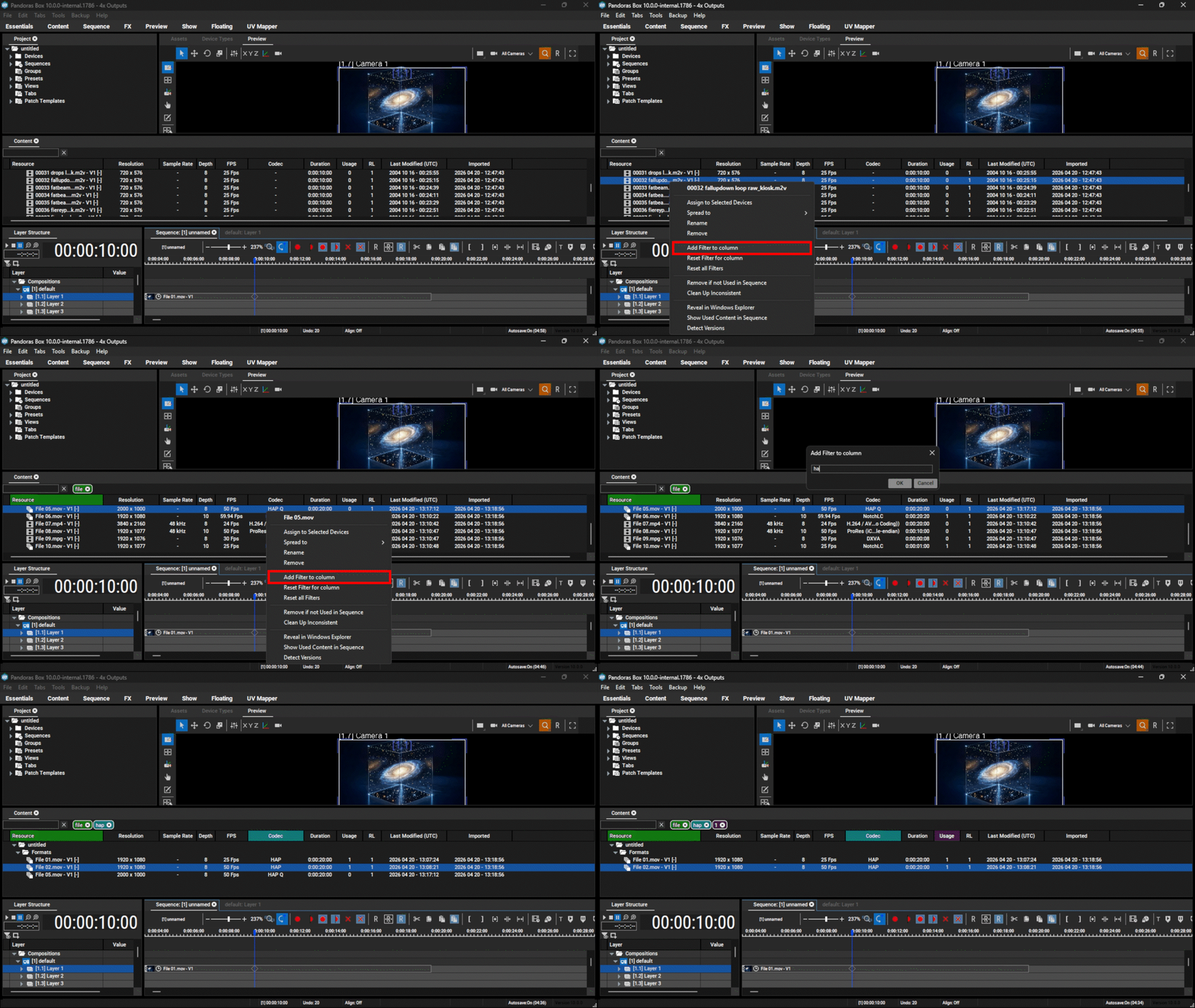
- Content Tab – filtering, search, and version trackingV10
- Auto-spread – configurable content distribution across serversV10
- Watched folder playlists with audio file exclusion control
- Media encryption for MPEG videos
- Advanced Import dialog
Professional audio networking and routing alongside your video.
- Dante – native audio networking, up to 32 output channels
- Dante Domain Manager support
- ASIO – professional low-latency audio I/O
- Individual audio channel routing in Device Tree
- Waveform display in the sequence timeline
Let multiple operators work on the same project without interrupting the show.
- Multi-User Sync Session – multiple Managers share one live project simultaneously
- Blind Mode – prepare changes without affecting the live output
- Time synchronization across all machines in a session
- Resource location visibility across all connected Managers
- 9-language user interface for international teamsV10
Built for professional deployments – from single-server installs to large distributed systems.
- Native 64-bit architecture with Windows 10 and Windows 11 support
- No administrator rights required for operation
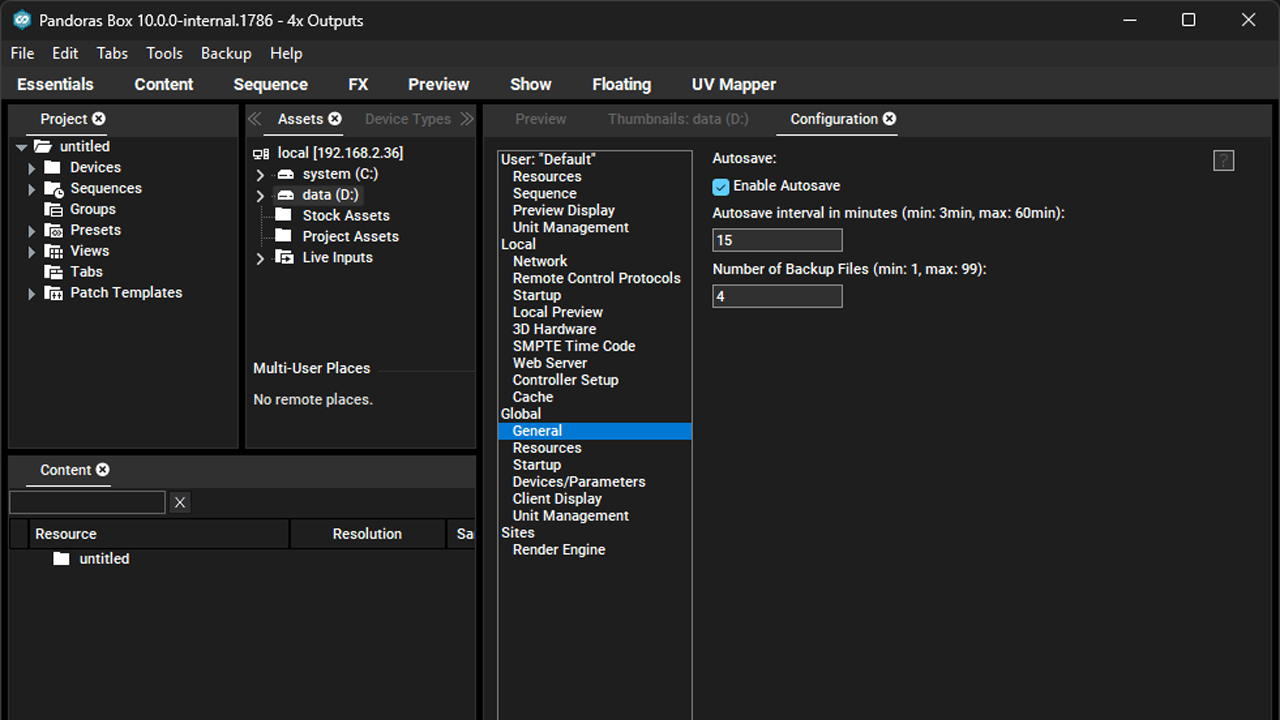
- Autosave – continuous background project savingV10
- Autoplay on system startup
- PB Menu – remote installation across multiple systems
- PB Menu – integrated VNC remote access for server management
- HASP-based licensing for Pandoras Box
- CodeMeter support for Notch workflows
- Custom control surfaces for touch displays, workstations, and browser UIs
- 47 verified widget types across 7 categories
- 12 input-oriented widgets: Button, Fader, Encoder, ColorPicker, XyPanel
- 8 display and status widgets: Label, StatusLight, DigitalClock, Gauge, TimeCode
- 5 visualization widgets: BarGraph, DrawingCanvas, GraphDisplay, PictureBox, Shape
- 8 media-capable widgets: HTML, WebBrowser, VideoPlayer, VncPanel, PowerPointDisplay
- Multi-window and multi-page projects with runtime page switching
- Theme and style system with centralized widget-specific stylingV10
- Resource browser with PNG, JPG, GIF, BMP, SVG, WEBP, ICO supportV10
- Project file and editing password protection
- Browser-based delivery with deployable HTML and CSS templates
- Per-client context: window assignment, page state, and client-specific routing
- Selective web page publishing with fallback-page handling
- Viewer Mode – protected deployment runtime
- OSC over TCP and UDP, MQTT, REST API, WebSocket, raw TCP, UDP, TelnetV10
- SSH, COM/Serial, and KNX for infrastructure and building-control environmentsV10
- Binary frame parsing and InfluxDB connectivityV10
- 248 core nodes across filtering, input, output, scripting, and composition
- 78 filter nodes: Add, Compare, Range, Angle Distance, Text Combiner
- 105 input nodes: OSC Input, Art-Net In, Midi Input, Device Parameter, Watch Folder
- 50 output nodes: OSC, TCP Message, Layer Control, Parameter Control, Fader Output
- 15 interaction nodes: Touch Injection, Mouse Injection, Action, TCP, Comp. Input
- Macro & Function Editor with syntax highlightingV10
- ScriptAssists – autocompletion, contextual help, and example-driven guidance
- Native Pandoras Box automation integration
- 16-bit automation paths for fine-grained Pandoras Box parameter control
- Pandoras Box Automation, Christie Spyder, Christie Spyder S, Phoenix, and Terra
- Barco EventMaster
- Blackmagic ATEM, Videohub Matrix, SmartView monitoring
- Blackmagic HyperDeck recorders/players
- Christie LED Controllers and Novastar LED ControllersV10
- Lightware LW2 networked AV control
- Netgear AV switch integration
- AirScan and Phidgets sensor and hardware integration
- iiyama, LG, NEC, Samsung, and Sharp display controlV10
- BenQ display and projector integrationQ3 '26
- Generic projector control, PJLink, and Christie projector integrationV10
- Device-centric configuration views per device familyV10
- Expandable modular device and protocol architectureV10
- PowerPoint control for presentation-driven environments
- Telegram and Discord bot integrations
- Internal Scheduler and Google Calendar integrationV10